The node_modules Problem: Why Every JS Dev's Mac Fills Up Eventually
Ask any JavaScript developer what's eating their disk and, eventually, someone says node_modules. It's a running joke in the community — the folder so large it supposedly has its own gravitational pull — but the joke undersells how much real disk space it accounts for on an average developer's Mac.
This isn't about one bloated project. It's about dozens of them, each with its own copy of a dependency tree, sitting untouched since the last time you opened that repo. Individually they look reasonable. Added up across every clone, every side project, every tutorial you followed once, they routinely account for tens of gigabytes — sometimes more than everything else on the drive combined.
What makes this particular flavor of storage bloat so persistent is that it's invisible by design. A node_modules folder isn't a file you'd ever open, browse, or think about — it just sits inside a project directory doing its job, quietly regenerated by whatever install command you last ran, until the day you go looking for space and realize just how many of these folders you've been carrying around.
Why one folder can hit hundreds of megabytes
A minimal Node project with a handful of direct dependencies can easily produce a node_modules folder in the 150–400MB range. Add a modern frontend framework, a bundler, a test runner, and some type definitions, and it's common to see 500MB–1.5GB for a single project. The reason is transitive dependencies: your package.json might list 12 packages, but each of those pulls in its own dependencies, which pull in more, and npm's resolution algorithm has to materialize actual files on disk for all of it.
Before npm introduced better deduplication, this got worse because the same version of a package could get installed multiple times at different levels of the dependency tree, once for each package that required it with slightly different version ranges. Modern npm and pnpm are better at flattening this, but duplication across projects — as opposed to within one project — is unavoidable by design: each project's node_modules is self-contained on purpose, so ten projects using React each carry their own copy of React and everything React depends on.
Monorepos and workspace-based projects add a different kind of weight. A single repository managed with npm/yarn/pnpm workspaces, Turborepo, or Nx might contain a dozen internal packages, each with its own devDependencies for building and testing, plus a large shared node_modules at the root. It's not unusual for a mature monorepo's total dependency footprint, across the root and every workspace package, to exceed 2–3GB on its own — before you count any of the other projects on the same machine.
Seeing the real damage with du and find
You don't need a GUI to get a first read on this. Two commands do most of the work. To size up a single project you already have open:
- du -sh node_modules — total size of the dependency folder in the current directory.
- find . -name "node_modules" -type d -prune -exec du -sh {} + — walks a directory tree (your whole ~/Projects or ~/Code folder, for example), finds every node_modules folder without descending into them individually, and prints a size for each.
- find . -name "node_modules" -type d -prune -exec du -sh {} + | sort -rh — same thing, sorted largest first, so the worst offenders show up at the top.
Doing this without hunting down every project by hand
Run that second command from your home folder or wherever you keep your repos, and it's common to see the total run into the dozens of gigabytes across projects you haven't touched in months. Some of those projects were cloned once to review a pull request. Some were tutorials. A few are old jobs — and the manual approach means remembering where every one of them lives, running find repeatedly across different folders (~/Projects, ~/Code, ~/Desktop, wherever things ended up), and manually judging which ones are safe to clear.
Reclaim's Dev Cleanup view does the same underlying job — scanning your whole disk for node_modules folders, regardless of which directory they're buried in — and shows them grouped and sized so you can bulk-select the ones you don't need anymore in one pass, instead of doing it project by project.
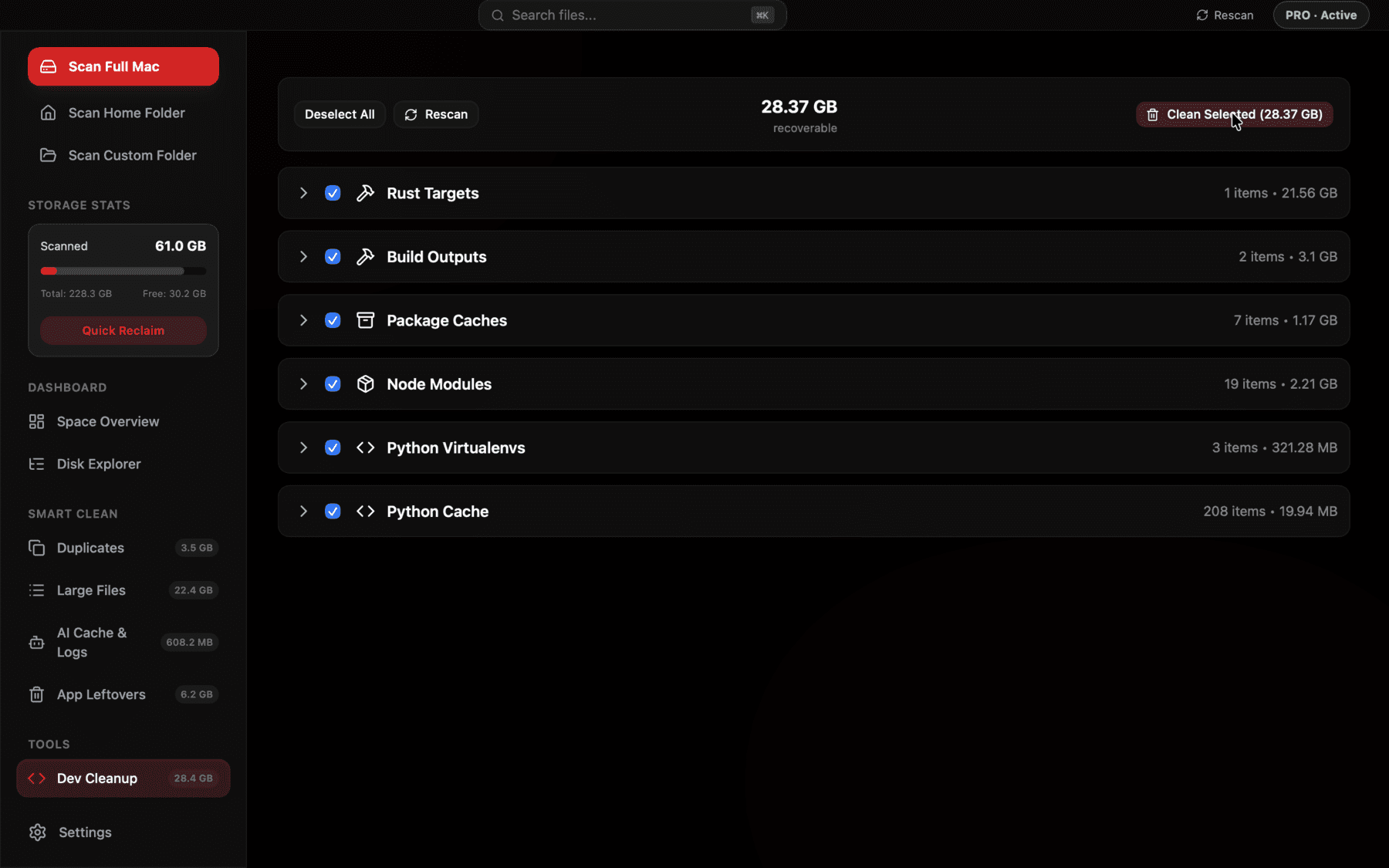
Every node_modules folder on disk, sized and grouped, so you can bulk-select the ones you don't need without opening a terminal for each project.
Why it's (almost always) safe to delete
node_modules is, by design, a build artifact — not source. Everything in it was generated from package.json and a lockfile (package-lock.json, yarn.lock, or pnpm-lock.yaml), which is what actually gets committed to version control. Delete the folder and running npm install, yarn install, or pnpm install regenerates it exactly as it was, assuming the lockfile is present and your network is up.
The only real risk is deleting it for a project you're actively working in without realizing you'll need to reinstall before your next build — which just costs you the install time, not any lost work. It's also worth being cautious with projects that used npm link or file: dependencies pointing at local paths, since those aren't always trivially reproducible from a fresh install.
This is a meaningfully different risk profile than deleting, say, a photo or a document. Nothing about node_modules represents work you did — it's entirely derived from files that already exist elsewhere in the project. That's precisely why bulk-deleting dozens of these folders at once, across projects you haven't opened in a year, is a reasonable thing to do in a way that bulk-deleting dozens of random files never would be.
The manual cleanup routine
For projects you're confident you're done with, deleting node_modules directly is fine: rm -rf node_modules from inside the project folder, or as a one-liner across many projects at once, find . -name "node_modules" -type d -prune -exec rm -rf {} + run from a parent directory. That second version is powerful and worth being deliberate with — it will delete every node_modules folder under wherever you run it, including ones for projects you didn't mean to touch, so run the du version first to see what you're about to remove.
A gentler middle ground some developers use is deleting node_modules only for projects whose folder hasn't been modified in, say, 90 days, using find's -mtime flag on the project directory itself as a rough proxy for "last touched." It's not perfect — a folder's modification time doesn't always reflect when you last worked on the code inside it — but it's a reasonable heuristic before a manual pass.
A note on CI caches and global stores
It's worth distinguishing project-level node_modules from the separate caches npm, yarn, and pnpm keep globally to speed up future installs — covered in more detail elsewhere, but relevant here because clearing one doesn't touch the other. Deleting a project's node_modules doesn't shrink npm's global cache at ~/.npm, and clearing that global cache doesn't remove any project's node_modules. They're two different levers, and a full cleanup usually means pulling both.
The same distinction shows up if you use Yarn's or pnpm's own global store. Yarn's classic cache lives under ~/Library/Caches/Yarn, and pnpm keeps its content-addressable store at ~/Library/pnpm/store by default. Both are designed to be safely clearable — yarn cache clean and pnpm store prune remove unreferenced entries — but neither command touches the node_modules folders sitting inside your individual projects, which is why a thorough audit checks both layers rather than assuming one implies the other.
Preventing the next pile-up
You can't avoid node_modules existing — that's how the ecosystem works — but a few habits slow the accumulation. Cloning a repo just to read code rather than run it doesn't require an install at all. If you use pnpm, its content-addressable store already shares identical package versions across projects via hard links, which meaningfully reduces total disk use compared to npm or yarn without changing your workflow. And periodically revisiting old side projects to decide "archive or delete" beats letting node_modules silently persist for a project you'll never open again.
It's also worth being honest about which projects on your machine are actually still active. A folder you haven't opened in eight months, for a side project you're unlikely to return to, is a much easier candidate for deletion than a client repo you touch every couple of weeks — treating all node_modules folders as equally disposable is how people end up either over-cautious about all of them, or careless about the ones that actually matter.
What a full cleanup pass actually looks like
Put together, a realistic first pass looks like this: run the sorted find command across your home directory, skim the top twenty results, mentally sort them into "actively using," "might come back to," and "definitely done," delete the last category outright, and revisit the middle category in a few months once you've had time to confirm you really are done with it. For most developers who've never done this before, that first pass alone recovers somewhere between 15 and 60GB, depending on how many years of projects have piled up — a meaningful chunk on any Mac that isn't already sitting on a terabyte of free space.
The second and third passes tend to go much faster than the first, both because there's less to sort through and because you already know from experience which of your projects are truly dormant versus which ones you keep coming back to. Most developers who adopt this as a quarterly habit report it taking well under five minutes after the initial backlog is cleared.
Frequently asked questions
Is it safe to delete node_modules?
Yes, as long as the project still has its package.json and lockfile. Deleting node_modules only removes generated dependency files — running npm install, yarn install, or pnpm install regenerates the exact same folder.
How do I find all node_modules folders on my Mac?
Run find . -name "node_modules" -type d -prune -exec du -sh {} + from your home or projects folder in Terminal. It lists every node_modules folder under that directory with its size, without descending into each one individually.
Why is my node_modules folder so much bigger than expected?
Transitive dependencies are the main cause — each package you install can pull in dozens of its own dependencies. Bundlers, type definitions, and testing frameworks also add significant weight beyond your direct dependency list.
Does pnpm actually save disk space compared to npm?
Yes. pnpm stores one physical copy of each package version in a global content-addressable store and hard-links it into every project that needs it, so identical dependencies across projects don't get duplicated on disk the way they do with npm or yarn.
Will deleting node_modules break my project?
It won't break your source code, since node_modules isn't meant to be edited or committed. It will make the project temporarily unrunnable until you reinstall dependencies, and any local file: or npm link dependencies may need to be relinked manually.
How much disk space does node_modules typically use across all my projects?
It varies widely, but developers with a few years of projects on one Mac commonly find node_modules folders adding up to 20–80GB in total once every old clone and side project is counted.
See exactly what’s using your disk space.