The New Mac Storage Problem: AI Chat History, Model Caches, and Embeddings
Most explanations of AI-related disk bloat stop at model weights — the multi-gigabyte GGUF or safetensors files that Ollama, LM Studio, and similar tools download. That's the biggest single category, but it's not the only one. Any local AI app that lets you chat with your own documents also has to store something else: an index of those documents, encoded as vectors, plus a running history of everything you've asked it. Neither of those categories gets much attention, and both can grow larger than people expect.
If you've used a tool like AnythingLLM, Jan, GPT4All, Obsidian's AI plugins, or LM Studio's own document chat feature, there's a good chance you have a vector database and a chat log sitting in your Library folder right now that you've never looked at, quietly growing every time you index a new folder or have a long conversation with attachments.
What retrieval-augmented apps actually store
Chatting with your own PDFs or notes requires the app to first convert that content into embeddings — numeric vectors that represent meaning — and store them somewhere it can search quickly. The most common local storage engines for this are Chroma, SQLite with the sqlite-vec extension, and LanceDB. Each shows up differently on disk:
- Chroma — typically a persist directory containing a chroma.sqlite3 file plus per-collection folders of numeric index files; commonly nested under an app's Application Support folder, e.g. `~/Library/Application Support/<app>/chroma`.
- SQLite-vec — a single .db or .sqlite file with a vector-indexed table alongside your regular data; small individually, but grows linearly with how much content you've indexed.
- LanceDB — a directory of .lance files, one dataset per folder, often the largest of the three for the same source content since it stores vectors in a columnar format alongside metadata.
Doing the actual math on embedding size
It's easy to underestimate this because a single embedding is small — the size only becomes visible at the scale of a real document collection. A common embedding model produces vectors of 768 or 1536 dimensions, stored as 32-bit floats. A single 768-dimension vector is about 3KB; a 1536-dimension vector (the size used by several popular embedding models) is about 6KB. The multiplier that matters is how many chunks your source documents get split into — typically one chunk per few hundred words of text.
Work through a realistic example: indexing a modest 200-page PDF might produce around 500 chunks; at 1536 dimensions that's roughly 3MB of raw vector data, trivial on its own. But index a full Obsidian vault of a few thousand notes, or a folder of a few hundred PDFs and reports, and you're easily into the tens of thousands of chunks — 50,000 chunks at 1536 dimensions is around 300MB just for the vectors, before counting the metadata and cached source text that most vector stores keep alongside them for returning exact quotes. Double that for the source-text cache, and a single well-used document collection can land at 500MB to 1GB. Do that across a handful of separate knowledge bases in an app like AnythingLLM, and low single-digit gigabytes is a completely ordinary outcome, not an edge case.
Why this grows faster than people expect
Embeddings scale with the volume of text you feed in, not with the size of the model doing the reading. Indexing a folder of a few hundred PDFs, a full Obsidian vault, or a codebase for retrieval-augmented chat can produce a vector store in the hundreds of megabytes to low gigabytes — and if the app re-indexes on every sync or re-embeds when you switch embedding models, you can end up with multiple generations of the same index sitting side by side, none of them cleaned up automatically. Switching embedding models is a particularly common source of this: if you started with a smaller local embedding model and later switched to a larger one for better retrieval quality, most apps don't detect the change and silently overwrite the old index — they create a new one, leaving the old vectors orphaned on disk under a stale collection name.
It's also common for these apps to keep the original source text cached alongside the vectors (so it can return the exact passage that matched), effectively duplicating your documents inside the app's own storage on top of the vector index itself. For a knowledge base built from a folder of PDFs, this means the app's data directory can end up meaningfully larger than the source folder it was built from.
How this looks across specific apps
The exact location and format varies by app, which is part of why this category is easy to miss during a manual cleanup pass:
- AnythingLLM — stores its vector data (LanceDB by default, though it also supports Chroma and others) and SQLite metadata under its own Application Support directory, organized per workspace; each workspace you create for a different document set gets its own index, and old workspaces you no longer use keep their full index on disk until deleted from within the app.
- Jan — keeps chat threads as structured files and any local model files separately from its optional retrieval features; its data directory grows primarily with conversation count and any documents attached to threads.
- GPT4All — stores chat history in a local database and, when its "LocalDocs" feature is enabled, builds a separate embedding index per configured document collection, which behaves the same way as the AnythingLLM pattern above — one index per collection, none removed automatically when a collection is deleted from the UI in some versions.
- Obsidian AI plugins (e.g. Smart Connections and similar) — typically store embeddings as files inside the vault itself, under a hidden folder like `.smart-env` or plugin-specific data folder, which means the vector store travels with vault sync tools like iCloud or Obsidian Sync unless explicitly excluded, quietly increasing sync traffic as well as local disk usage.
Chat history is smaller, but it's not nothing
Conversation history for local chat apps is usually stored as plain SQLite databases or JSON files, and by itself rarely exceeds a few hundred megabytes even after months of heavy use — text is cheap. Where it adds up is in combination with attachments: if the app lets you paste or upload images, PDFs, or code files into a conversation, those get cached in full alongside the text history, and that's the part that can quietly grow into gigabytes over time, especially for tools used daily for document Q&A. A single conversation thread with a handful of screenshots or a couple of multi-page PDFs attached can easily be larger than a thousand pure-text conversations combined.
Finding these on your Mac
There's no single folder for this — it depends on the app, but the same handful of commands will surface most of it:
- `du -sh ~/Library/Application Support/*/ | sort -rh | head -20` — surfaces the largest Application Support folders across every app, a fast way to spot one that's grown unexpectedly.
- `find ~/Library/Application\ Support -iname "*.lance" -o -iname "chroma.sqlite3"` — locates LanceDB and Chroma stores specifically, wherever they're nested.
- `find ~/Library/Application\ Support -iname "*.sqlite" -size +100M` — flags any SQLite database, including chat history or vector stores, over 100MB.
- `find ~/ -iname ".smart-env" -maxdepth 4` — checks whether an Obsidian vault has an embedded vector store folder, useful if you sync vaults across machines and want to exclude it.
What's actually safe to clear
Vector indexes are regenerable in principle — the app can re-embed your documents — but re-embedding a large document set takes real time and, for some apps, real API cost if the embedding step calls out to a hosted model rather than a local one. Chat history has no equivalent regeneration path; once you clear it, past conversations are gone. Treat these differently: it's usually safe to delete an old, orphaned vector store for a document set you no longer reference (a superseded version of a vault, a project you archived, a workspace in AnythingLLM you haven't opened in months), but think twice before wiping chat history in an app where that history is the actual record of past work.
A reasonable middle ground when you're not sure: export or back up the chat history to a plain text or JSON file first (most of these apps support this from their settings), then clear the in-app storage. That preserves the record without keeping the app's full internal database format around indefinitely.
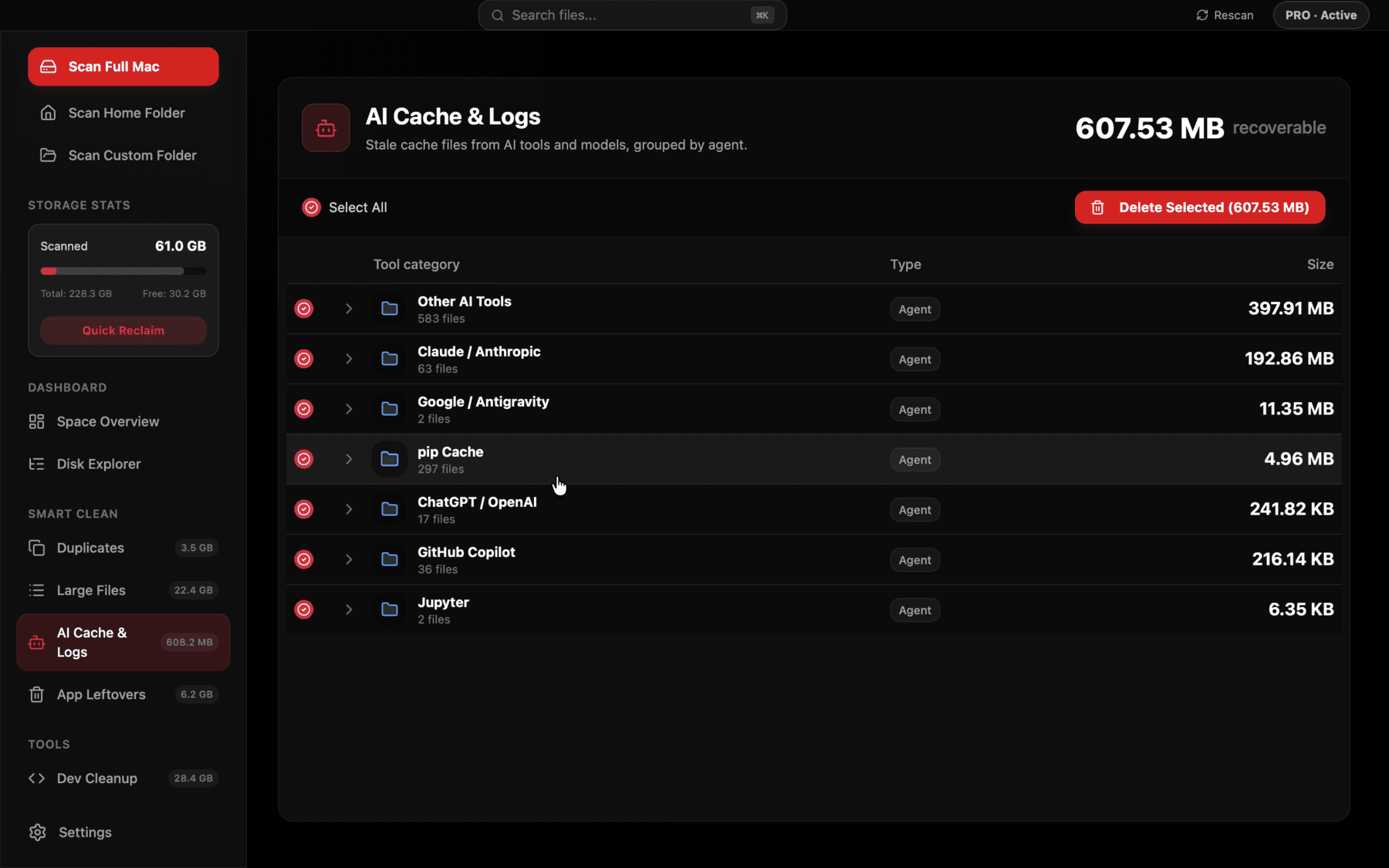
Reclaim's AI Cache view separates embedding stores and chat caches from raw model weights, so you can see which category is actually driving a specific app's footprint before deleting anything.
The practical takeaway
Model weights are still the largest single line item in most local-AI setups, but they're not the whole picture anymore. If you've indexed any real volume of your own documents into a local AI tool, check its vector store size explicitly — it's easy to assume an app is small because the app itself is small, while its data directory has grown into gigabytes you never looked at. Reclaim's AI Cache & Logs view checks both categories across the tools it recognizes, rather than only flagging the model files, so a workspace's abandoned vector index shows up as clearly as an unused model.
Frequently asked questions
What is a vector database and why does a local AI app need one?
It's a store of numeric representations (embeddings) of your documents, kept so the app can quickly find the most relevant passages to answer a question — Chroma, LanceDB, and SQLite-vec are the most common local implementations.
Can I safely delete a Chroma or LanceDB folder?
Usually yes, if the source documents still exist and the app can re-index them — you'll lose the index, not the underlying data, though re-indexing takes time and sometimes API cost if it calls a hosted embedding model.
Why is my AI chat app's Application Support folder so much bigger than the app itself?
The app binary is small; the data it accumulates — chat history, cached attachments, and any local vector index — lives separately and grows with use, not with the app's own size.
Does clearing chat history free significant disk space?
Rarely much on its own, since text compresses well — the exception is when conversations include cached image or file attachments, which can dominate the actual size.
How do I find large SQLite databases from AI apps on my Mac?
`find ~/Library/Application Support -iname "*.sqlite" -size +100M` will surface any database over 100MB, which is usually either a chat history store or a vector index.
Why do I have two versions of the same vector index in an app like AnythingLLM?
Most retrieval apps don't detect when you switch embedding models — they build a fresh index under the new model rather than replacing the old one, leaving the previous index orphaned on disk until you delete the workspace or collection manually.
See exactly what’s using your disk space.